Create a folder / directory
Windows
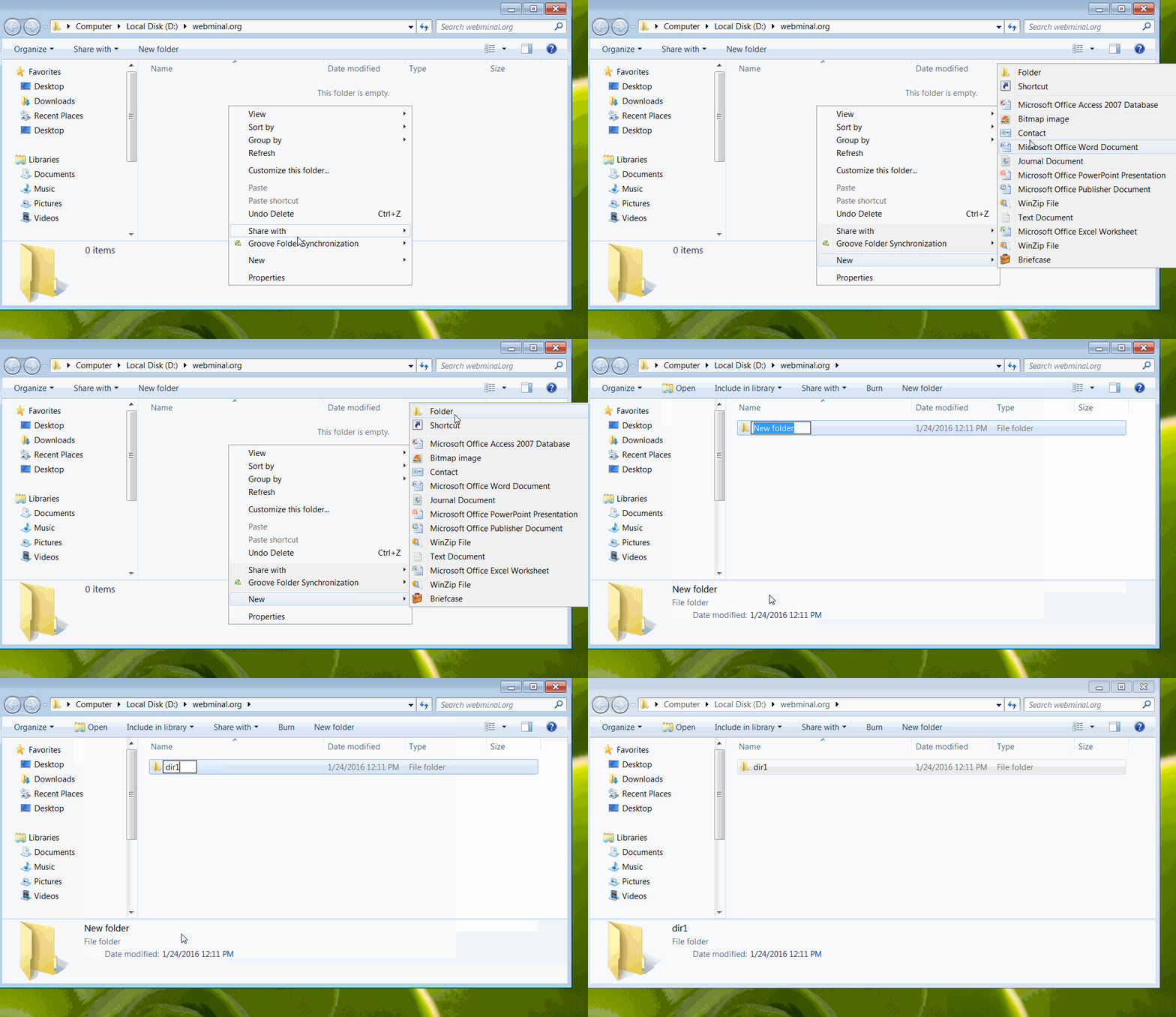
Linux
[you@webminal ~]$
[you@webminal ~]$
Desktop Documents project
[you@webminal ~]$
Create a file inside a folder
Windows
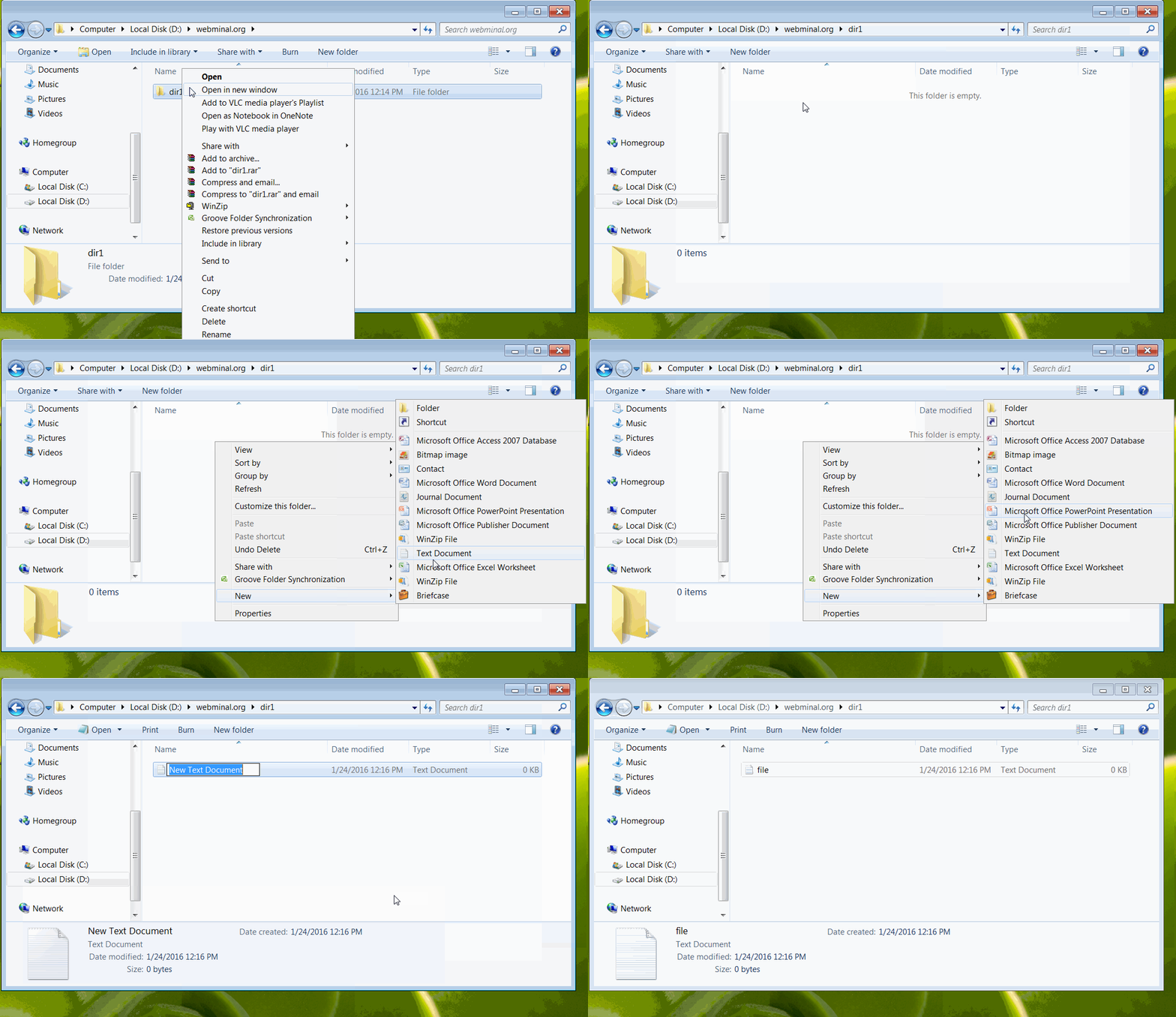
Linux
[you@webminal ~]$
[you@webminal project]$
[you@webminal project]$
notes.txt
[you@webminal project]$
Rename a folder / directory
Windows
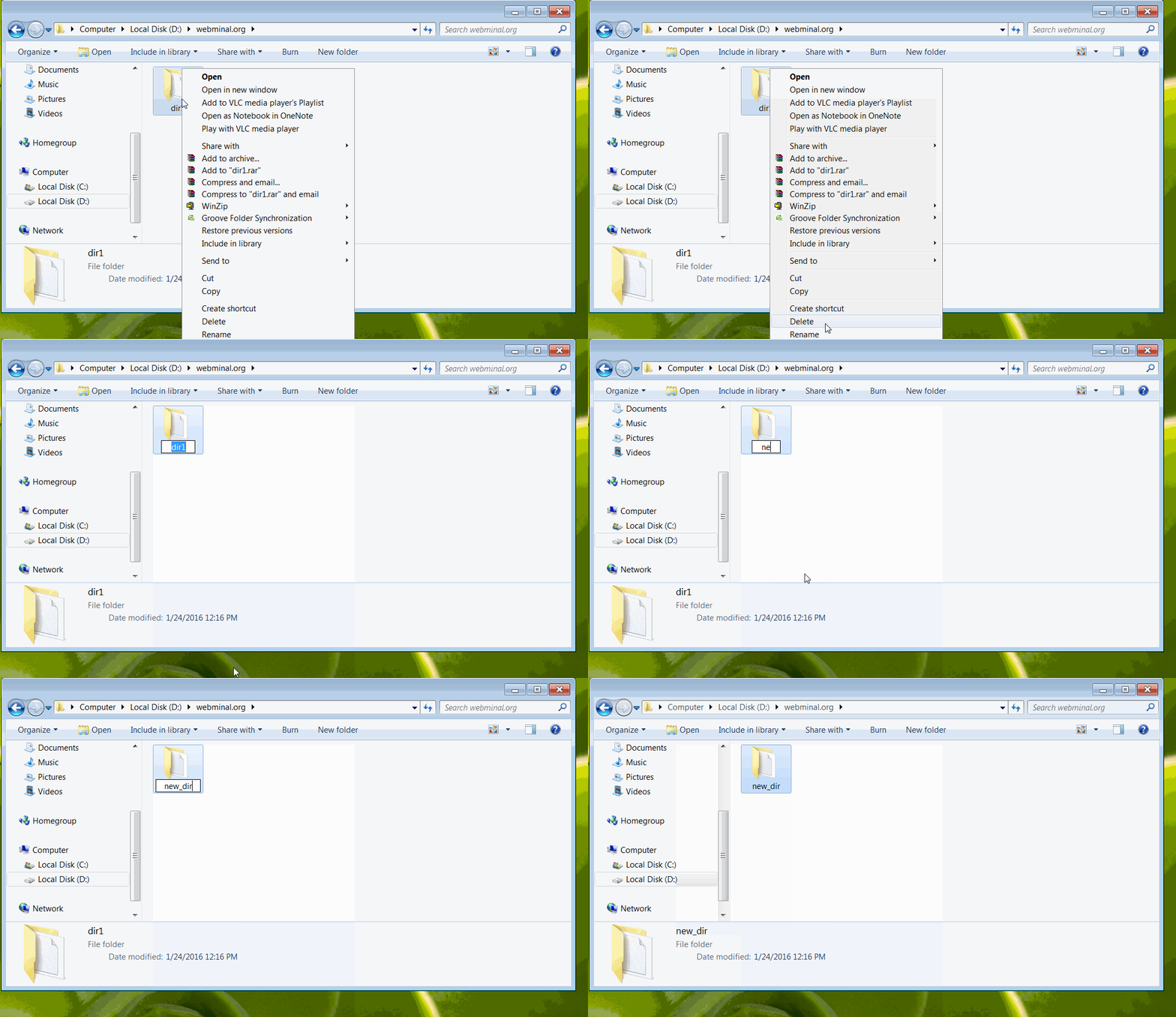
Linux
[you@webminal ~]$
Desktop Documents project
[you@webminal ~]$
[you@webminal ~]$
Desktop Documents myproject
[you@webminal ~]$
Create a compressed file
Windows
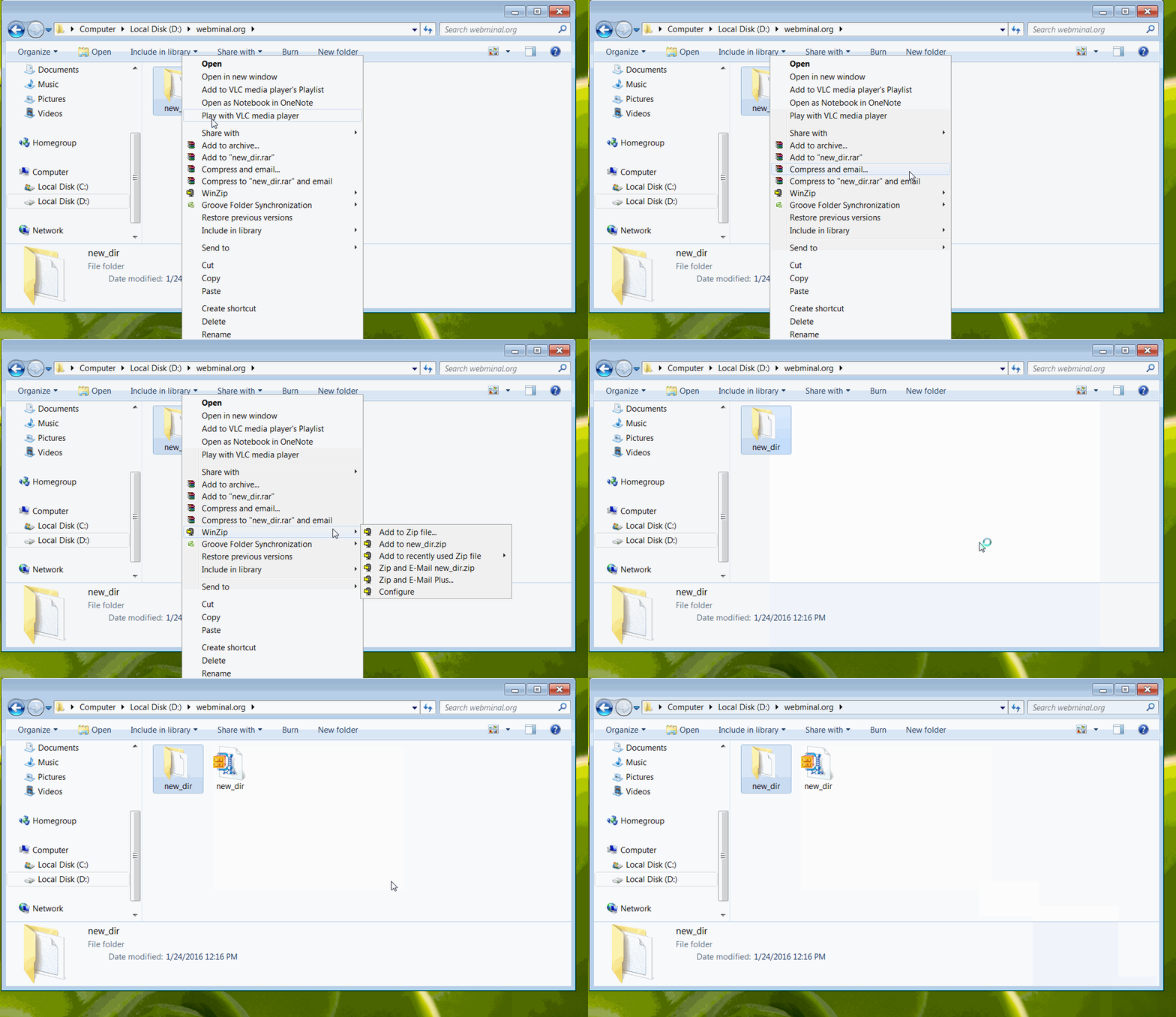
Linux
[you@webminal ~]$
[you@webminal ~]$
-rw-r--r-- 1 you you 2.4K myproject.tar.gz
[you@webminal ~]$